Skip to content
Version 1.0.2 available

The parental control that turns YouTube into safe learning

Flowuse gives you total control over what your kids watch on YouTube. Create personalized profiles with interactive quizzes, real-time stats, and channel protection β€” all from a sleek and easy-to-use app.

9:41
87%
Flowuse admin dashboard screenshot
DASHBOARD
Now playing Online

What is the capital of France?

London
Paris
Madrid
Rome
Today's activity
42/min
↑ 18% vs yesterday
S
Sophie
8 years old
8
correct
12
This week
A+
PRO
Features

All the control you need, as simple as an app

Flowuse replaces the constant screen-time battle with smart tools β€” so your kids learn while watching YouTube, and you keep peace at home.

Profiles

Personalized profiles by age and interests

Each child has their own space with avatars, age and adapted topics. You decide what each one can watch β€” without affecting the others.

Up to 6 profiles on Pro
Live

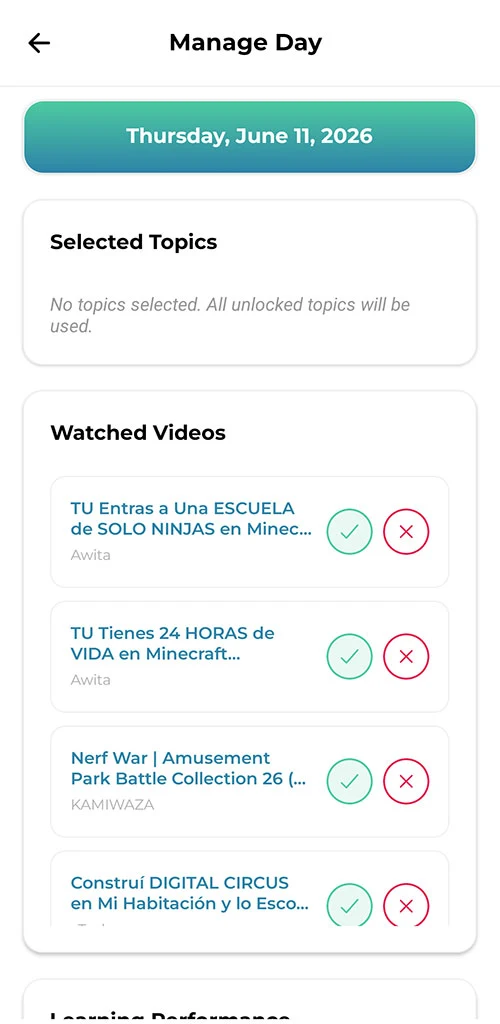
See what your kids are watching right now

Open the parent dashboard and instantly see which video each child is watching, how long they've been on it, and whether they're still connected. No refreshing, no waiting.

Now in real time
LIVE
AI Β· Pro

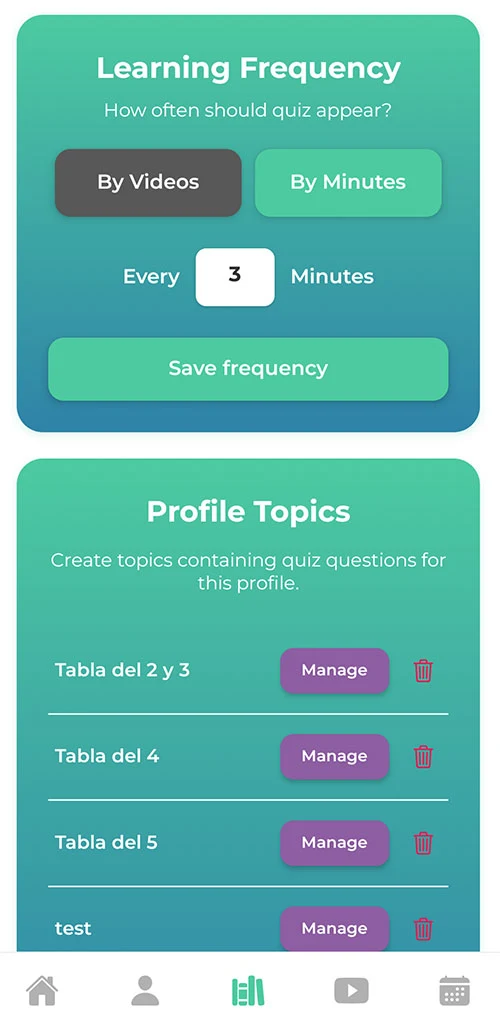
Quizzes that adapt to the video

The app creates questions tailored to your child's age and the video's topic in seconds β€” multiple choice or open-ended, always aligned with what they're watching.

<3s adapt to the video
By age & topic
Safety

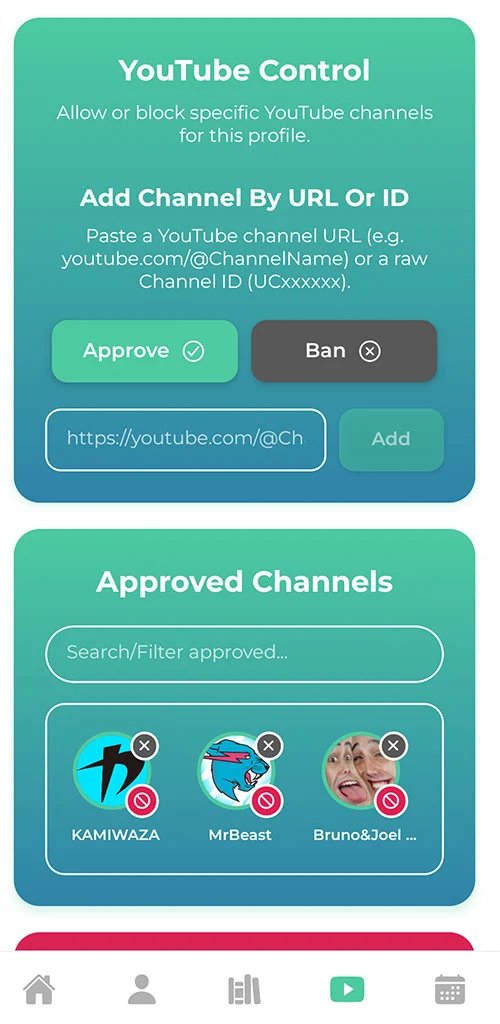
Approve or block entire channels

Whitelist and blacklist with URLs, IDs or search. Your child only sees approved channels β€” even when YouTube suggests similar ones.

KhanAcademyEs OK
GamingChannel123 BLOCKED
NationalGeographicKids OK
PrankCompilationHD BLOCKED
Kurzgesagt-es OK
0
inappropriate videos
Analytics

Stats that actually matter

Daily heatmap, hourly minute charts, topic mastery, historical retention. Visualizations that tell the full story.

12+ metrics available
Schedule

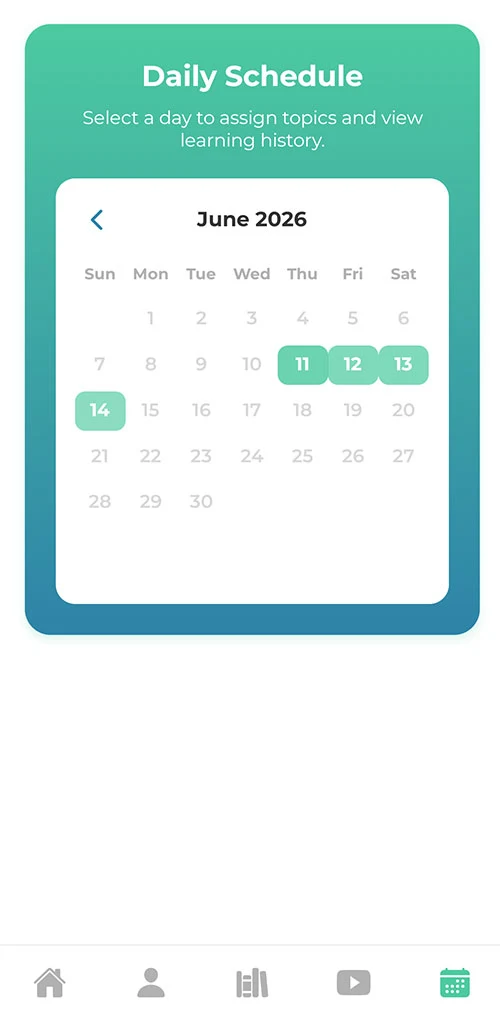
Learning calendar by day

Assign specific topics to each weekday. Geography on Mondays, science on Wednesdays? Set it once and it applies forever.

M
T
Geo
W
T
Sci
F
Hist
S
S
Art
7 days fully configurable
How it works

Get started in less than 5 minutes

No complex setup. No extra hardware. No contracts. Just download, create, and you're ready.

  1. 01

    Download and create your account

    Install Flowuse from Google Play and create your parent account with email and password.

  2. 02

    Create your child's profile

    All you need is their name and age, plus the YouTube channels you want them to watch. In just a few minutes they're all set and ready to start.

  3. 03

    Link your child's device

    Generate a 6-digit code from your dashboard. Your child enters it on their tablet or phone β€” and it's connected to your account.

  4. 04

    They learn, you relax

    Your child only sees approved channels. Quizzes show up when you set them. You get real-time reports from your dashboard.

Plans

Start free, upgrade to Pro whenever you need

No fine print. No contracts. Cancel anytime.

Free

$0 forever

To start and try without any commitment.

Included

  • 1 child profile
  • 3 categories per profile
  • Channel whitelist
  • Weekly schedule
  • Basic quizzes
  • Simple stats
  • Email support

Not included

  • More child profiles
  • AI-powered quizzes
  • Unlimited categories
  • Advanced analytics
Start free

Download the app and create your account

Most popular

Pro

$4.99 / month

For families with multiple kids or stricter controls.

Everything in Free +

  • Up to 6 child profiles
  • Unlimited categories
  • Whitelist and blacklist
  • Per-day schedule
  • AI-powered quizzes
  • Advanced analytics + heatmaps
  • No ads in the app
Get Pro

Activate instantly. Cancel anytime.

Frequently asked questions

What parents usually ask

Can't find what you're looking for? Write us and we reply within 24 hours.

01 Do I need internet for it to work?

Yes, both sides (the admin and your child's device) need a connection. If your child temporarily loses internet, they keep watching whatever was last loaded; when they're back, everything syncs automatically.

02 How do I link my child's device?

From your parent dashboard you generate a 6-digit code that's valid for a few minutes. Your child enters it on their tablet or phone and it links to your account. Only you can approve the connection.

03 What's the difference between Free and Pro?

Free is perfect to start: 1 child profile, 3 categories and basic quizzes. Pro adds up to 6 profiles, unlimited categories, AI-generated quizzes, advanced analytics, and no ads. Both plans work with no contract.

04 Can I cancel Pro anytime?

Yes, cancel any time from your dashboard. You keep Pro until the end of the period you've already paid. No lock-in clauses or penalties.

05 Is it available in multiple languages?

Currently in Spanish and English, both in the app and on this site. We're adding more languages progressively.

06 What happens with my child's data?

Data is encrypted in transit and at rest. We never share anything with third parties. Only you and your child's device can access their history, and you can delete everything any time from your dashboard.

07 Do I need YouTube Premium?

No, Flowuse works with free YouTube. Parental controls, quizzes and analytics all work independently of which YouTube account type you have.

08 What if my child uninstalls the app?

You get an instant notification. If it was an accident, just re-link the device with another code. All your configuration (approved channels, schedules, categories) is saved in your parent account, so you don't lose anything.